
CourtWatch NYC
Directory of NYC Public Basketball, Tennis & Pickleball Courts
1. Purpose and Civic Intent
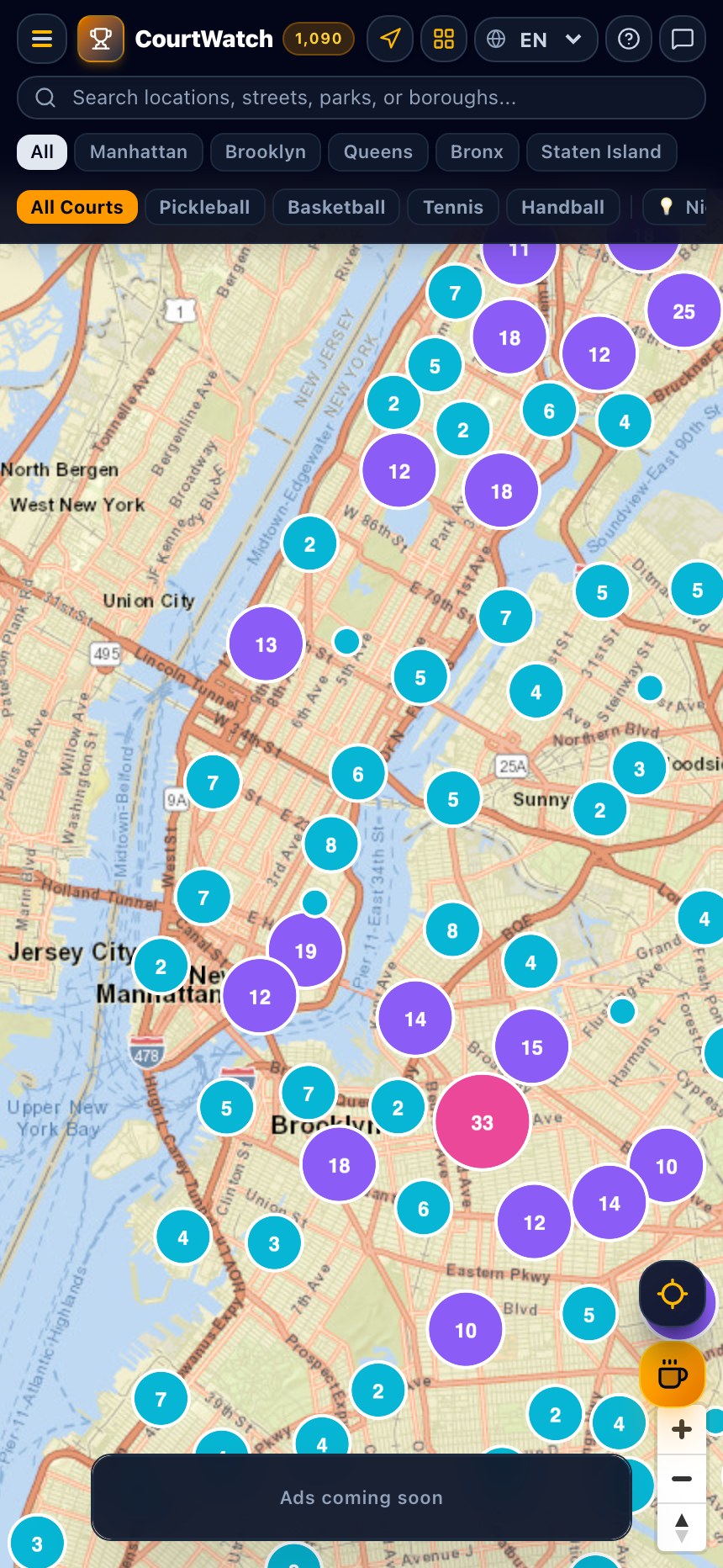
Connect sports enthusiasts with public athletic courts across all municipal parks, providing court surface details, lighting conditions, and permit rules.
2. Authoritative Public Data Sources
This civic utility is developed and curated independently by DJ Tech NYC under the statutory authority of the New York City Open Data Law (Local Law 11 of 2012). Primary municipal data feeds powering this application include:
NYC Parks Department Athletic Facilities database and community sports court registries.
3. How to Use the Application
Designed for rapid, touch-friendly interaction on smartphones as well as precision desktop workflows, users can access the application through the following operational workflow:
- Search public parks for outdoor basketball courts, dedicated pickleball courts, and tennis complexes.
- Verify court lighting schedules to find illuminated courts for evening pickup games.
- Check NYC Parks tennis permit requirements during the official season (April through November).
- Find dedicated paddle and handball courts across borough recreation grounds.
4. Key Architectural Capabilities
Filter courts by sport: Basketball, Tennis, Pickleball, Handball, and Volleyball
Surface material notes: Hard court, asphalt, clay, and recently resurfaced facilities
Information on seasonal tennis permit registration and day passes
Public restroom and water fountain proximity for every court location
5. Browser Compatibility & Technical Access
CourtWatch NYC operates as a progressive, zero-install Web Application accessible through modern standard browsers including Chrome, Safari, Edge, and Firefox. Users on iOS and Android can add the tool directly to their device home screen via the browser's "Share → Add to Home Screen" action for native full-screen dock access.