
SetWatch NYC
Track Film, Television & Commercial Production Permits Across NYC
1. Purpose and Civic Intent
Keep neighborhoods informed of upcoming street closures, towing notices, and filming activities authorized by the Mayor’s Office of Media and Entertainment (MOME).
2. Authoritative Public Data Sources
This civic utility is developed and curated independently by DJ Tech NYC under the statutory authority of the New York City Open Data Law (Local Law 11 of 2012). Primary municipal data feeds powering this application include:
NYC MOME Film Permits database (tg4x-b46p) via NYC Open Data.
3. How to Use the Application
Designed for rapid, touch-friendly interaction on smartphones as well as precision desktop workflows, users can access the application through the following operational workflow:
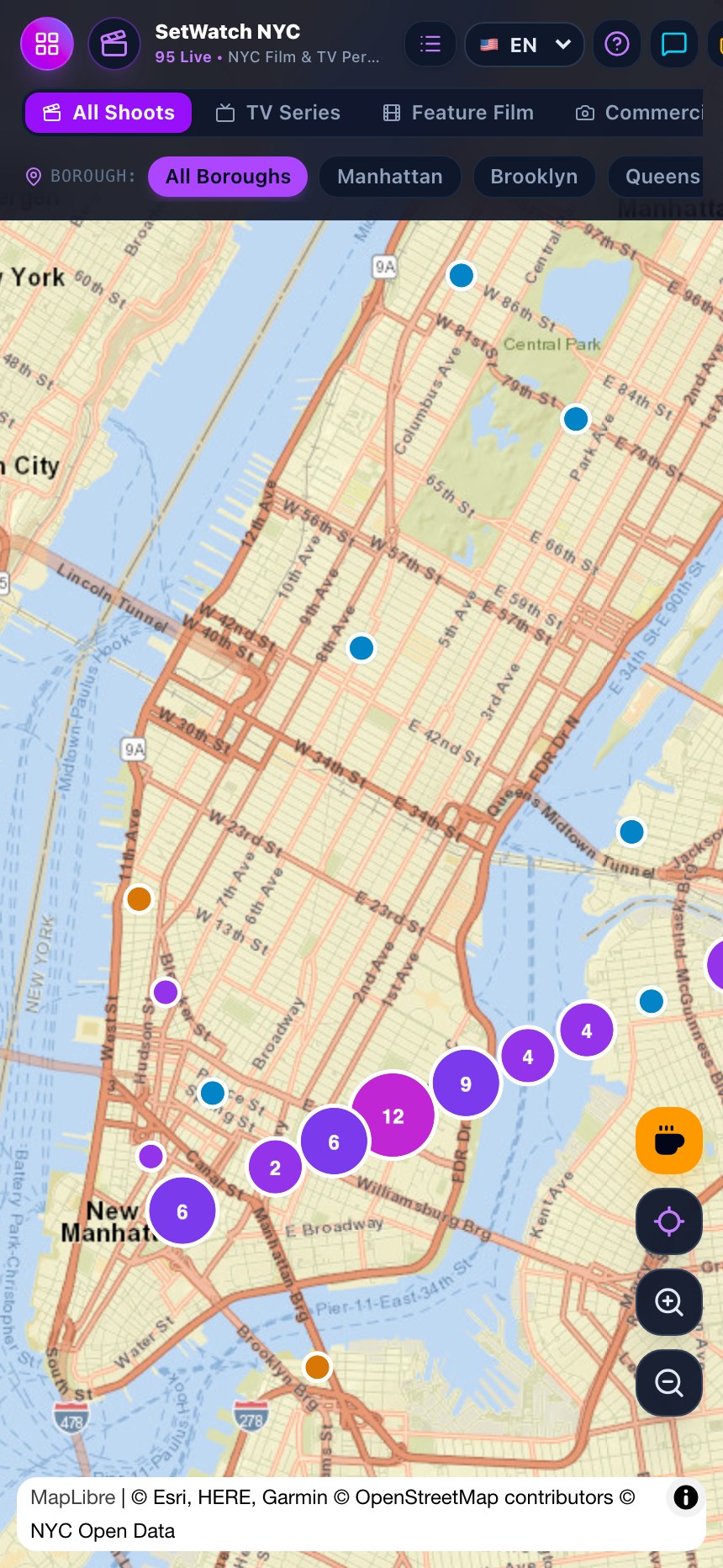
- View an active map of all permitted film, television, still photography, and commercial shoots taking place across the city.
- Check production categories: Feature Film, Episodic Television Series, Commercial, Documentary, or Student Project.
- Anticipate "No Parking - Film Shoot" curb holds before production trucks arrive in your neighborhood.
- Explore famous movie and television production footprints active on your local block.
4. Key Architectural Capabilities
Daily updated database of all active and upcoming municipal film permits
Exact start times, wrap times, and reserved curb lengths in linear feet
Production company contact details and community liaison representatives
Identification of generator locations and special equipment permits
5. Browser Compatibility & Technical Access
SetWatch NYC operates as a progressive, zero-install Web Application accessible through modern standard browsers including Chrome, Safari, Edge, and Firefox. Users on iOS and Android can add the tool directly to their device home screen via the browser's "Share → Add to Home Screen" action for native full-screen dock access.