
StreetParking NYC
Real-Time Alternate Side Parking, Muni-Meter Zones & Curb Intelligence
1. Purpose and Civic Intent
Eliminate parking ticket anxiety in New York City with live spatial maps of NYC DOT curb signs, Alternate Side Parking (ASP) street cleaning schedules, and ParkNYC muni-meter pay zones.
2. Authoritative Public Data Sources
This civic utility is developed and curated independently by DJ Tech NYC under the statutory authority of the New York City Open Data Law (Local Law 11 of 2012). Primary municipal data feeds powering this application include:
NYC DOT Parking Regulations database (Socrata nfid-uabd), ParkNYC Muni-Meter block faces (e7yp-wx55), and official NYC DSNY Alternate Side Parking Holiday RSS calendar.
3. How to Use the Application
Designed for rapid, touch-friendly interaction on smartphones as well as precision desktop workflows, users can access the application through the following operational workflow:
- Open the live interactive map centered on NYC or tap the Locate Me button to pin your current block face.
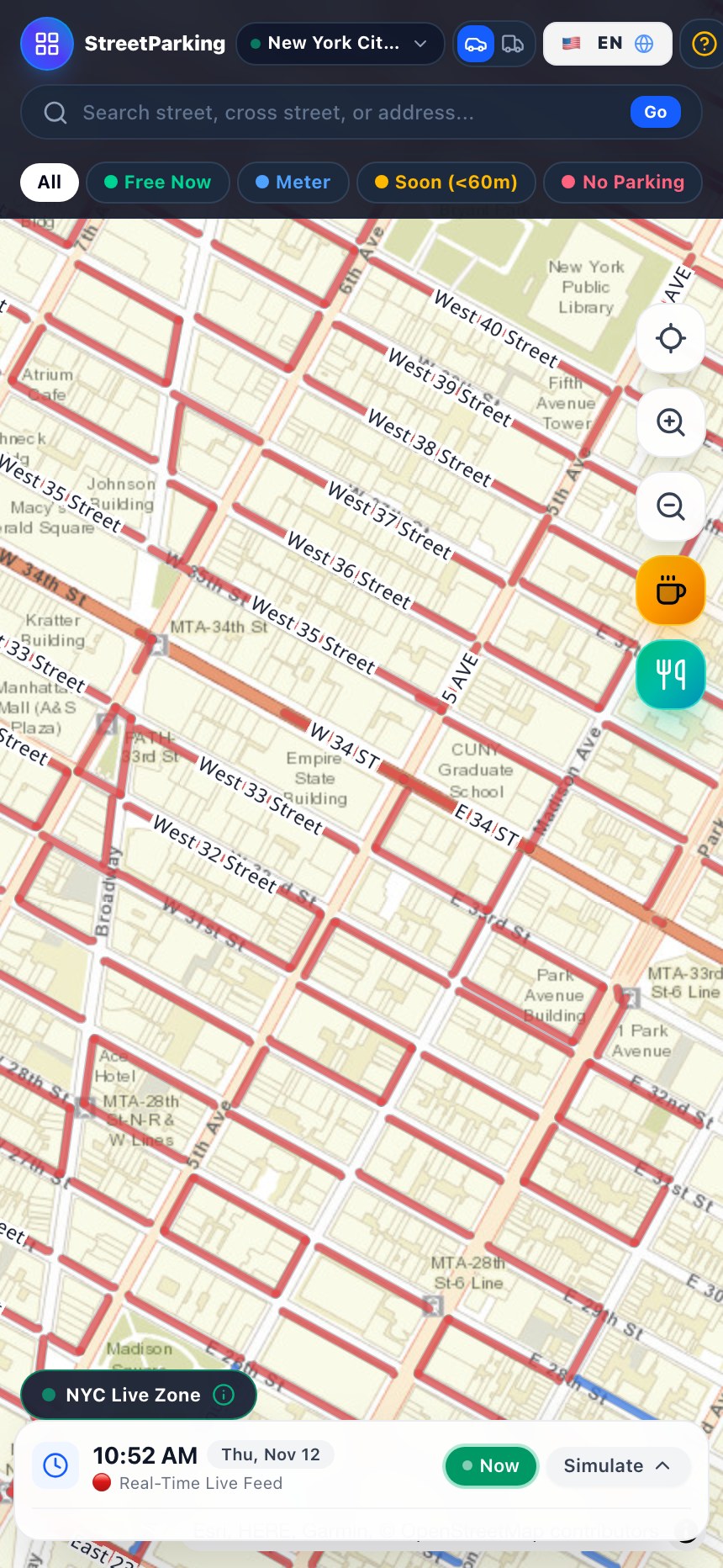
- Examine color-coded street edges: Green (Unrestricted Free Parking), Blue (Muni-Meter active), Red (Restricted / Street Sweeping / Busway), and Yellow (Impending restriction within 60 minutes).
- Toggle the Vehicle Selector between Passenger Car and Commercial Truck to automatically evaluate commercial loading zones (§ 4-08(l)).
- Select any street segment to inspect exact sign wording, active regulation hours, parking duration limits, and the 7-day "Can Park Until" countdown schedule.
4. Key Architectural Capabilities
Sub-meter accuracy curb segment rendering with real-time restriction evaluation
NYC DOT § 4-08 Midtown Commercial Core and SBS busway compliance logic
Dynamic time simulator to check future legal parking before driving or commuting
Direct ParkNYC muni-meter zone codes and hourly parking rate breakdown
5. Browser Compatibility & Technical Access
StreetParking NYC operates as a progressive, zero-install Web Application accessible through modern standard browsers including Chrome, Safari, Edge, and Firefox. Users on iOS and Android can add the tool directly to their device home screen via the browser's "Share → Add to Home Screen" action for native full-screen dock access.