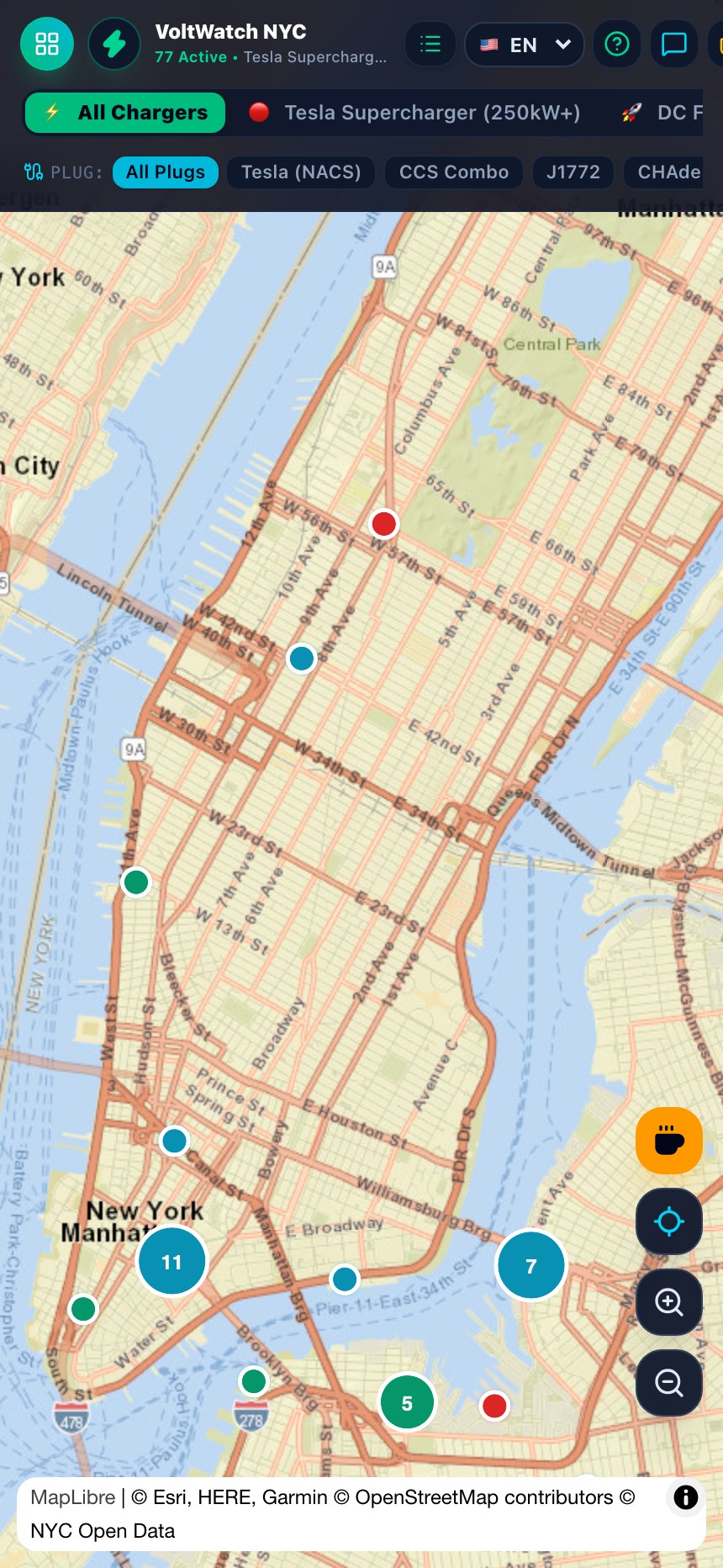
VoltWatch NYC
Curbside EV Charging, DC Fast Chargers & Tesla Superchargers
1. Purpose and Civic Intent
Help electric vehicle owners locate accessible curbside Level 2 chargers, high-speed DC Fast Chargers, and charging hubs across New York City.
2. Authoritative Public Data Sources
This civic utility is developed and curated independently by DJ Tech NYC under the statutory authority of the New York City Open Data Law (Local Law 11 of 2012). Primary municipal data feeds powering this application include:
US Department of Energy Alternative Fuels Data Center (AFDC) and NYC DOT Curbside Level 2 Pilot endpoints.
3. How to Use the Application
Designed for rapid, touch-friendly interaction on smartphones as well as precision desktop workflows, users can access the application through the following operational workflow:
- Browse public charging stations categorized by charging speed: Level 2 (J1772) and DC Fast Charging (CCS / NACS / CHAdeMO).
- Check parking regulations associated with EV charging spots, including charging-only rules and meter fees.
- Identify dedicated curbside chargers installed on residential NYC street blocks.
- Verify connector types and pricing structures prior to arrival.
4. Key Architectural Capabilities
Comprehensive mapping of municipal curbside EV spots and commercial charging plazas
Distinction between free municipal spots, metered charging curbs, and garage-based hubs
Support for all major EV charging networks including Flo, EVgo, Electrify America, and Tesla
Real-time navigation links to open charging ports
5. Browser Compatibility & Technical Access
VoltWatch NYC operates as a progressive, zero-install Web Application accessible through modern standard browsers including Chrome, Safari, Edge, and Firefox. Users on iOS and Android can add the tool directly to their device home screen via the browser's "Share → Add to Home Screen" action for native full-screen dock access.